Link Your Discord with the Billing Website
Linking your Discord and Billing website accounts provides additional benefits such as server access and specific notifications.
Go to the Billing page and log in to your account.
Option 1:
- Click the 'Home' link in the upper left-hand corner.
- Look for the 'Discord Status' panel box on the left-hand side of the page.
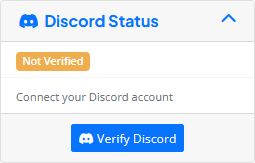
- Click on the 'Verify Discord' button.
- A Discord OAuth page will open. Click Authorize. The bot will copy your Discord Username and Discord ID into the billing portal.
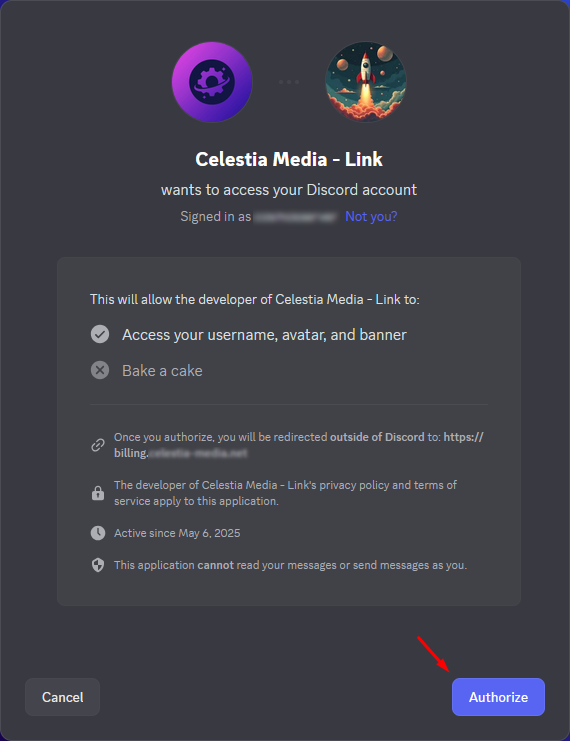
- Your role within our Discord server will be updated automatically.
Option 2:
- Click your customer name to open the dropdown menu.
- Click on the 'Verify Discord' link.
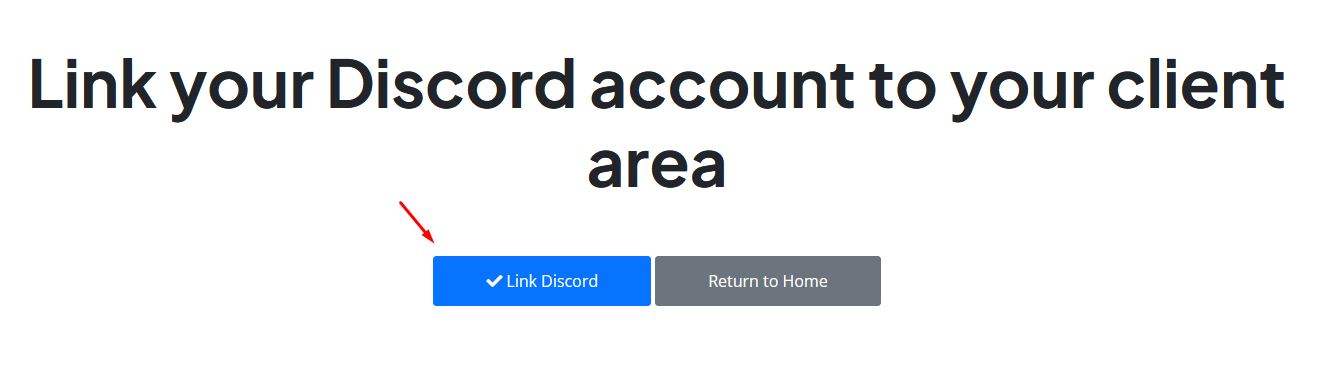
- Click on the 'Link Discord' button.
- A Discord OAuth page will open. Click Authorize. The bot will copy your Discord Username and Discord ID into the billing portal.
- Your role within our Discord server will be updated automatically.
To verify if the bot has copied the information correctly, click your customer name (displayed in the top right) to open the dropdown menu. Select Account Details from the list. If you scroll down on the Account Details page, you should see the Discord Username and Discord ID fields filled out.